pdf-tables-excel
Turn PDF tables into .xlsx on your PC. Use two engines plus OCR. Get a grade on each table plus a preview.html you keep.
Buyer: Bookkeepers and analysts who work with invoice and statement PDFs.
Proof (honest): products/pdf-tables-excel/tables.py v1.0.0 core · manifest · Version 1.0.0 · See Compare vs Adobe → (Source: dated Aug 30 2026)
Source for price below: products/pdf-tables-excel/STORE_LISTING.md — $29 once, 14-day refund. Disclosure was above this line as required.
Watch 15 seconds. Open the output.
Run on your PC. Drop a folder. Get .xlsx plus preview.html. No upload.
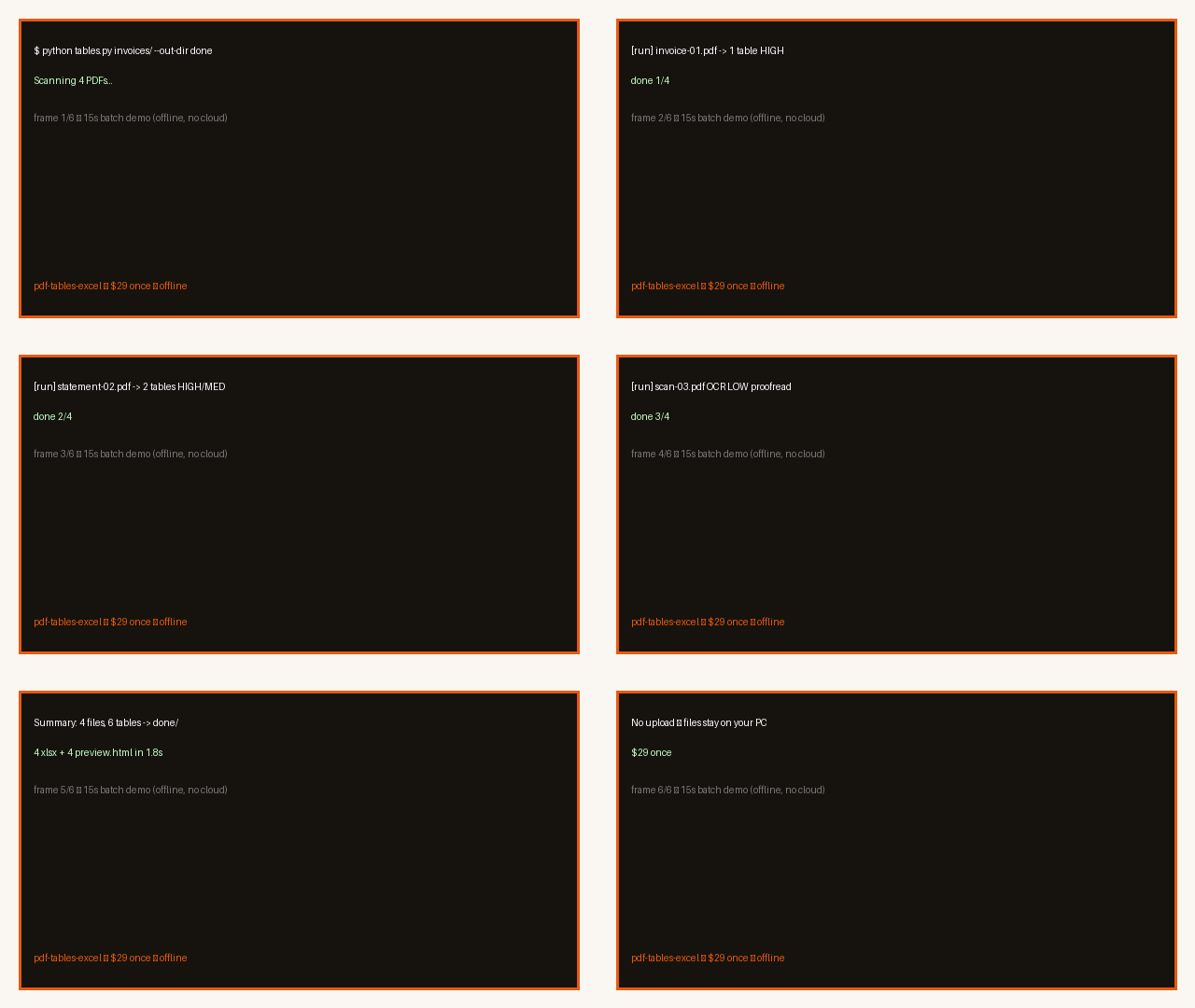
Both links are real engine outputs. Check them before you pay. Source: products/pdf-tables-excel/demo/ + STORE_LISTING.md
Two samples — HIGH and LOW. Real files only.
Open the PDF. Open preview.html. Open the .xlsx. HIGH is digital text. LOW is scan with OCR.
Digital PDF with real text → HIGH grade. Fill is ≥90.
PDF · preview.html · xlsx
Built with fpdf2 and run by tables.py. Grade HIGH. Source: demo/sample-HIGH-lined.*
Image-only scan → OCR fallback → always LOW. Proofread each number.
PDF · preview.html · xlsx
Built as image PDF and run with --ocr. Grade LOW. Source: demo/sample-LOW-scan.*
Compare vs Adobe → (Source: dated Aug 30 2026)
What you get
Get one .xlsx per PDF plus one preview.html. Each workbook holds one sheet per table plus a Summary sheet with HIGH/MED/LOW per table.
Try lined.pdf → lined.xlsx (HIGH 1 / MED 0 / LOW 0) 100% match. Source: STORE_LISTING.md + RECEIPTS.md v1.0.0
- Pay $29 once. Use on your PCs. Get 1.x updates. Source: STORE_LISTING.md
- Drop a folder → get one sheet per PDF plus a per-file note. Source: README.md
- Open preview.html in your browser before you trust the sheet. Source: RECEIPTS.md
- See a grade on each table. No guess is hidden. Source: STORE_LISTING.md
Every table shows HIGH, MED, or LOW. OCR is always LOW.
Inside the download. Install in 3 steps.
Inside the download (buyer ZIP)
Source: products/pdf-tables-excel/PACKAGE_MANIFEST.txt — v1.0.0 buyer pack
tables.py— app: window + CLI, same engineinstall.bat— one-time setup, pins camelot-py==0.11.0, opencv-python-headless==4.10.0.84, openpyxl==3.1.5, pypdfium2==4.30.0, pytesseract==0.3.13, pillow==12.3.0README.md— quick start + honest limitsLICENSE,THIRD_PARTY_NOTICES.md,PACKAGE_MANIFEST.txt,STORE_LISTING.md,RECEIPTS.mdexamples/README.txt— 5-min starterlicenses/— 5 texts: camelot-py, opencv-python-headless, pypdfium2 PdfiumThirdParty, Pillow 12.3.0, pytesseractdemo/— 6 real files +batch-demo-15s.gif(HIGH + LOW samples)
Install in 3 steps
- Double-click
install.batonce. It builds.venvwith Python 3.10+ and exact pins. Net needed for this step only. Then offline. - Start:
.venv\Scripts\python tables.py(window) or run:python tables.py invoice.pdf
python tables.py "C:\statements" --out-dir done
python tables.py scan.pdf --ocr
python tables.py report.pdf --pages 2-4Source: products/pdf-tables-excel/README.md
- Open
preview.htmlfirst. Check grades HIGH/MED/LOW. Then open.xlsx.
Optional free helpers: winget install ArtifexSoftware.GhostScript for lined-grid mode; winget install UB-Mannheim.TesseractOCR for OCR. Without them, spacing mode still works. Source: README.md + install.bat
Version v1.0.0 — pins in install.bat, notes in THIRD_PARTY_NOTICES.md + licenses/. Needs Python 3.10+. Source: STORE_LISTING.md + README.md v1.0.0
One price. No rent.
Pay once. Keep it. No month fee. Source: STORE_LISTING.md $29 once.
Staged checkout manifest (BLOCKED, no live link) — no buy button here. Fail-closed until link exists. Disclosure was above price.
Version 1.0.0 — offline only. No keys. No cloud. Disclosure · Privacy. Source: README.md v1.0.0
Proof
SELFTEST 10/10 passed: lined.pdf HIGH 100% (spacing guess), spaced.pdf HIGH 100%, scan.pdf OCR made 1 table graded LOW, 100% tokens seen, checked 2026-08-31. Ghostscript not on test box — grid mode not run, handled fine. See buyer pack (RECEIPTS.md).
Source: data/gates/pdf-tables-excel_gate.json (72 checks, 72 PASS, 2026-08-31T22:49Z). Pillow 12.3.0 fix (PYSEC-2026-165).
No made-up scores. Each number links to a file on disk.
What you need
Use Windows 10/11 (macOS/Linux via same Python). Need Python 3.10+, camelot-py==0.11.0, opencv-python-headless==4.10.0.84, openpyxl==3.1.5, pypdfium2==4.30.0, pytesseract==0.3.13, pillow==12.3.0. Optional free helpers: Ghostscript for grid mode, Tesseract for scan.
Version: 1.0.0 — pins in install.bat, notes in THIRD_PARTY_NOTICES.md
Source: products/pdf-tables-excel/README.md + RECEIPTS.md
Who this is NOT for
Skip if your PDFs are blurry phone shots of bent receipts. Skip handwriting. Skip image-only scans without Tesseract — trash in, trash out.
Skip if you need perfect split tables with nested heads and no touch-up. Grades flag those spots.
No handwriting. Locked PDFs need password removed first. OCR is always LOW — we never call it true.
Source: products/pdf-tables-excel/STORE_LISTING.md — honest limits, README limits.
Refund
14 days, no forms, via store message. Source: STORE_LISTING.md FAQ 5
Tap message on the store. Get your $29 back. No quiz.
FAQ
Answers come from the listing. We add nothing. Source: STORE_LISTING.md
Will this look AI?
No — offline tool, real previews. Open the 15s GIF. Open HIGH and LOW xlsx plus preview.html. You see real output before you pay. Source: demo/ + STORE_LISTING.md
Does it need anything else installed?
Two free helpers are optional: Ghostscript for grid mode (skip it and spacing still works), Tesseract for scan. Installer shows one-line steps. Source: STORE_LISTING.md FAQ 1
Do my files get uploaded anywhere?
No. Run local. No server. No account. No Gmail read. Source: STORE_LISTING.md FAQ 2
What about scanned paper?
Tick OCR (needs free Tesseract). Reads letter by letter. Slower. Every OCR table is LOW — proofread it. Source: STORE_LISTING.md FAQ 3
What kinds of PDFs work best?
Digital text PDFs work best: statements, invoices, price lists. Lines help. No lines still works via spacing. Messy files need touch-up — grades tell you. Locked PDFs need password removed first. Source: STORE_LISTING.md FAQ 4
What's the refund?
14 days, no forms, via store message. Source: STORE_LISTING.md FAQ 5
FAQ source: products/pdf-tables-excel/STORE_LISTING.md — quoted true.
Checkout
Shop is the only checkout. Today the file says BLOCKED — no live link until it ships. No buy button here.
← Back to shop · Disclosure · Privacy · Compare vs Adobe →